Brief
Fun Box is your passport to adventure in Accra! Our innovative app brings people closer to the excitement by offering a vibrant platform where you can discover and join a wide array of experiences. Whether it’s a concert, workshop, or cultural event, Fun Box connects organizers with eager attendees, ensuring every moment is filled with joy and discovery. Say goodbye to FOMO and hello to unforgettable experiences with Fun Box!
Project
Client / Sprout Inc
Type / UX Design and Strategy
Industry / Entertainment
Date / 2023
Team
Project Owners / Joseph Nsiah & Michael Tamakloe
Lead Developers / Jeffrey Yeboah, Eric Gbekor
UX/UX Designer / Ernest Kufuor(Me)
Branding & Marketing / Kwabena Bamfo
Project Overview
As the lead UX designer spearheading the Funbox mobile app project within a team of 5 members, my primary goal was to ensure the creation of a user-friendly experience enabling seamless creation and sharing of various experiences, ranging from house parties to adventure tours.
Design Process
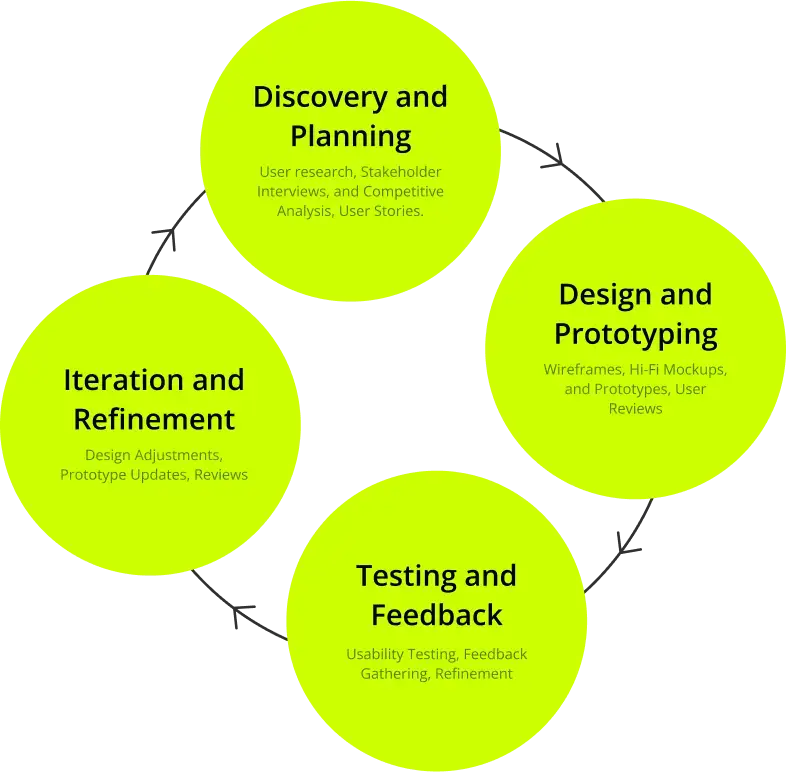
With a pressing deadline fueled by the team’s eagerness to launch the app swiftly and validate its concept in the market, I implemented a rapid prototyping approach to meet the project’s demands effectively.
Research & Analysis
My design process started with in-depth research into existing apps and platforms similar to Funbox. This research revealed user expectations, industry trends, and market gaps that Funbox could address. Notably, there was a unique opportunity to create something new in the African context, allowing for creative freedom. User stories were developed to understand the needs and pain points of our target audience, guiding the design decisions that followed.
User Interviews and Insights
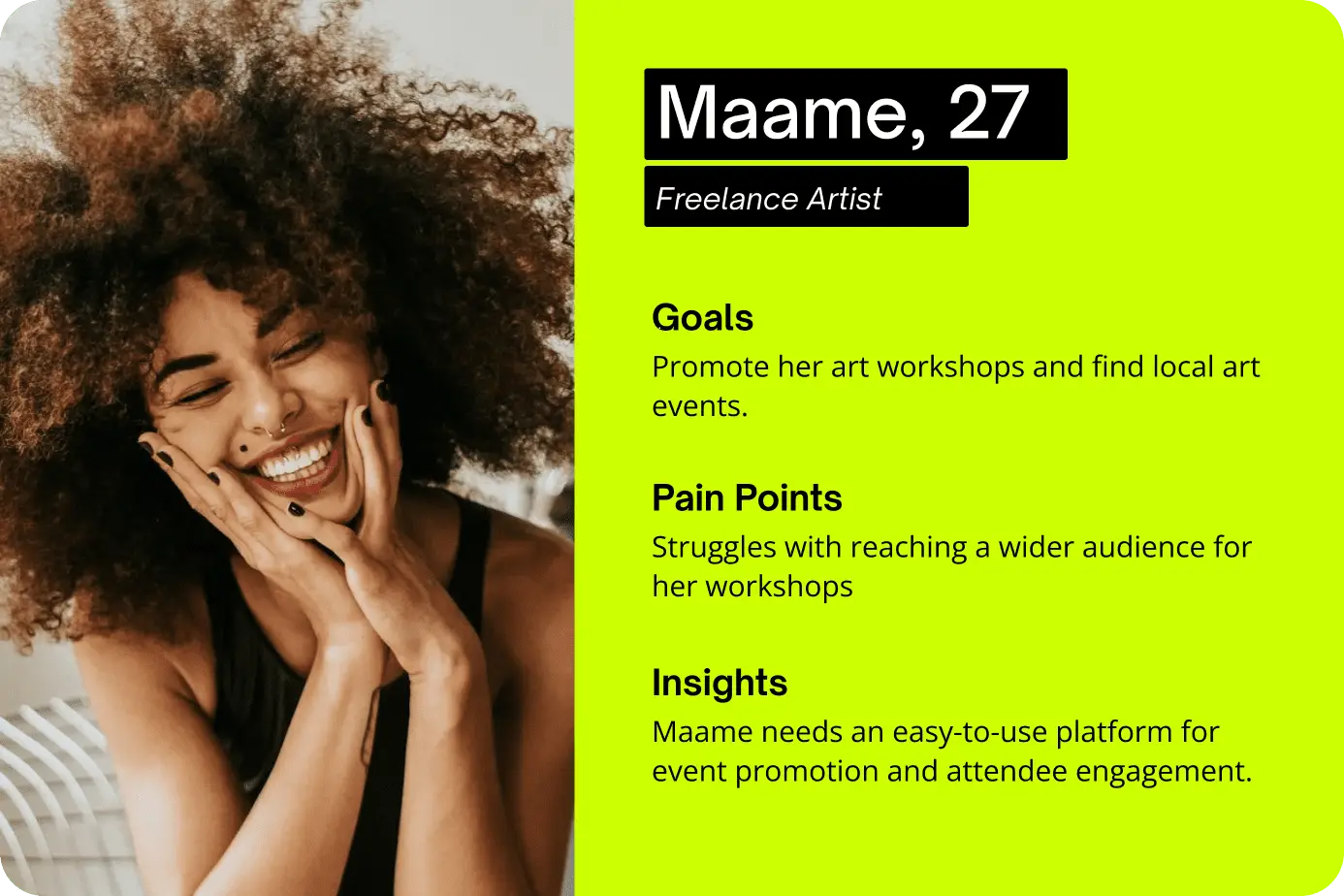
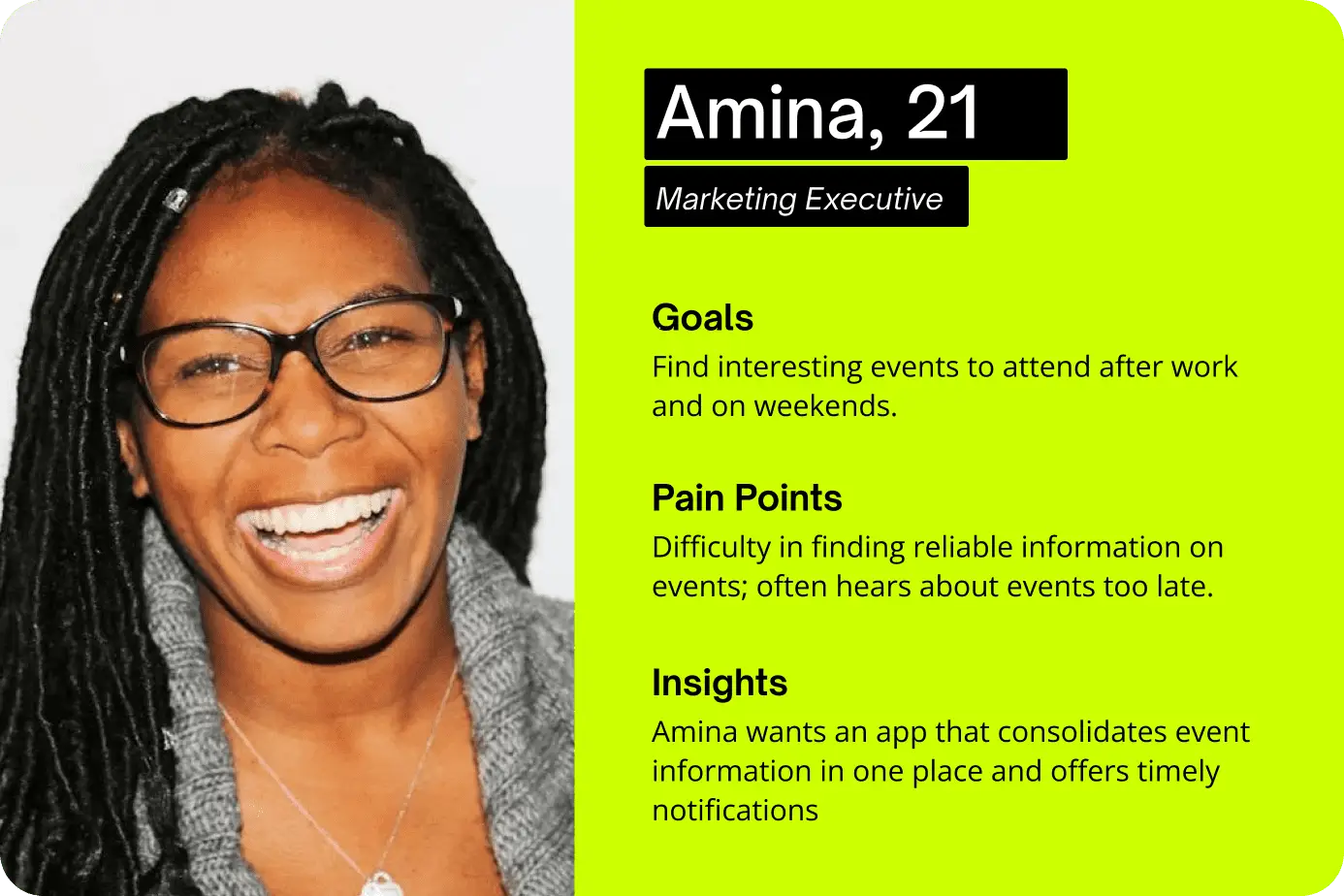
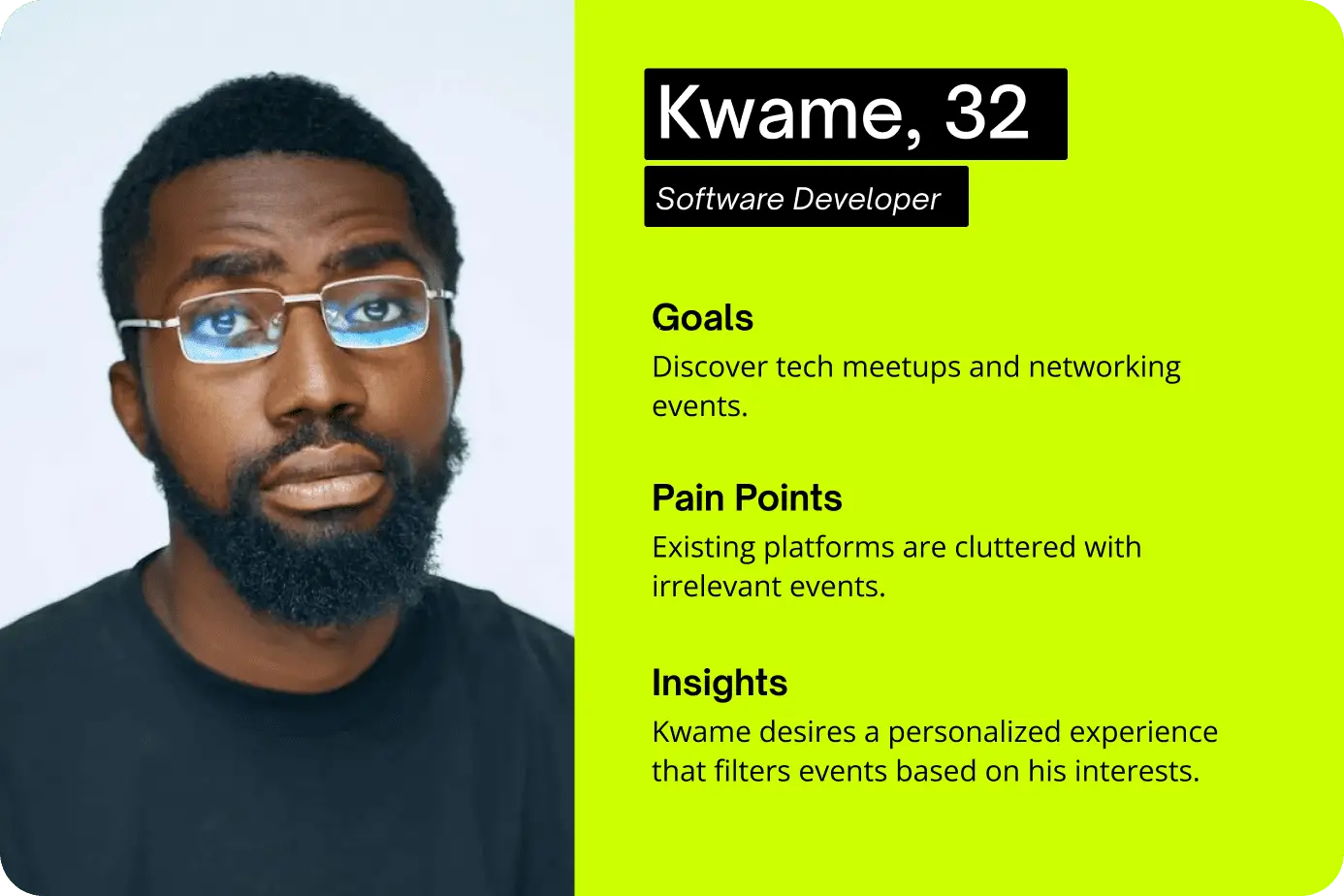
We conducted interviews with diverse potential users like Amina, Kwame, and Efua. Amina highlighted the need for a reliable source for discovering events, Kwame emphasized the importance of personalized tech event recommendations, and Maame needed an easy platform to promote her workshops. These insights helped shape our understanding of user requirements and guided the subsequent design decisions.
User Journey Map
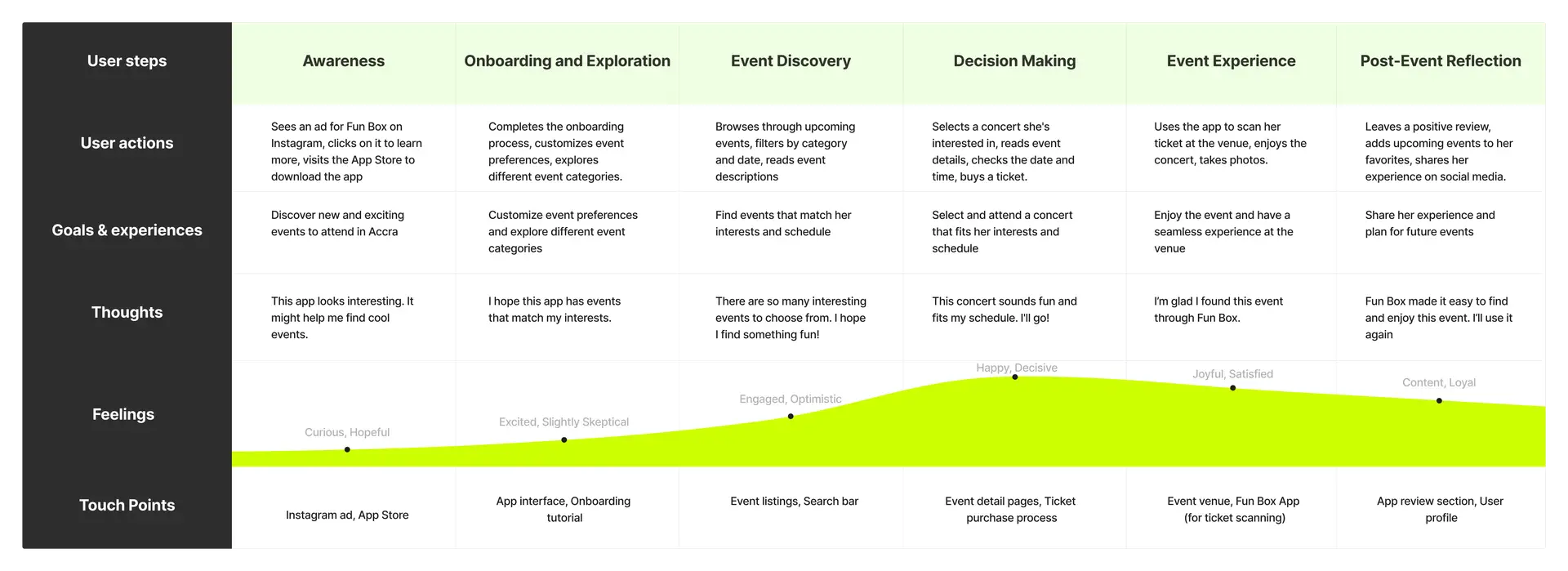
A user journey map visualizes the steps a user takes to achieve a specific goal within the app. It highlights touchpoints, actions, thoughts, and emotions throughout their interaction with the product.
For Amina, the journey map detailed her process from discovering Fun Box through an Instagram ad to attending a concert found on the app. For Kwame, it illustrated his path from hearing about Fun Box from a coworker to attending a coding meetup. These maps highlighted critical moments and pain points, such as the need for timely event notifications and personalized event filtering. Below is Amina’s journey map.
Empathy Maps
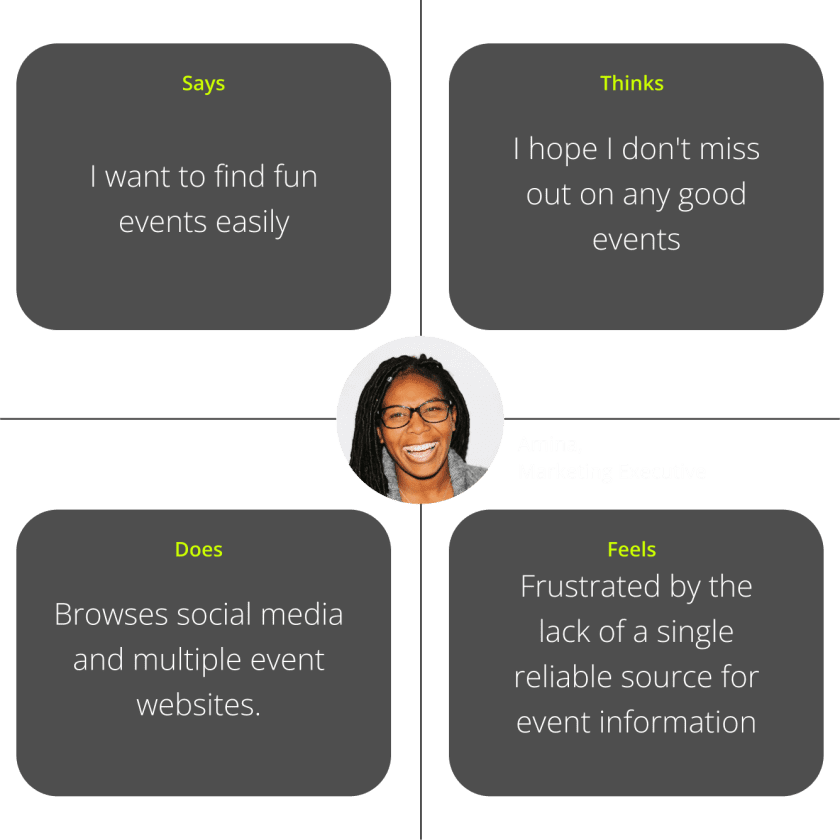
The empathy maps for Fun Box users revealed key insights into their needs and frustrations. Amina wants easy event discovery, fears missing out, browses social media for events, and feels frustrated by scattered information. Kwame seeks relevant tech events, is annoyed by cluttered listings, and conducts focused searches. These maps, developed through user interviews and observations, organize insights into “Says, Thinks, Does, and Feels” quadrants, providing detailed understanding of user emotions and thoughts. This analysis identifies critical areas for design focus, ensuring the app meets user motivations and alleviates their frustrations.
Process Flows
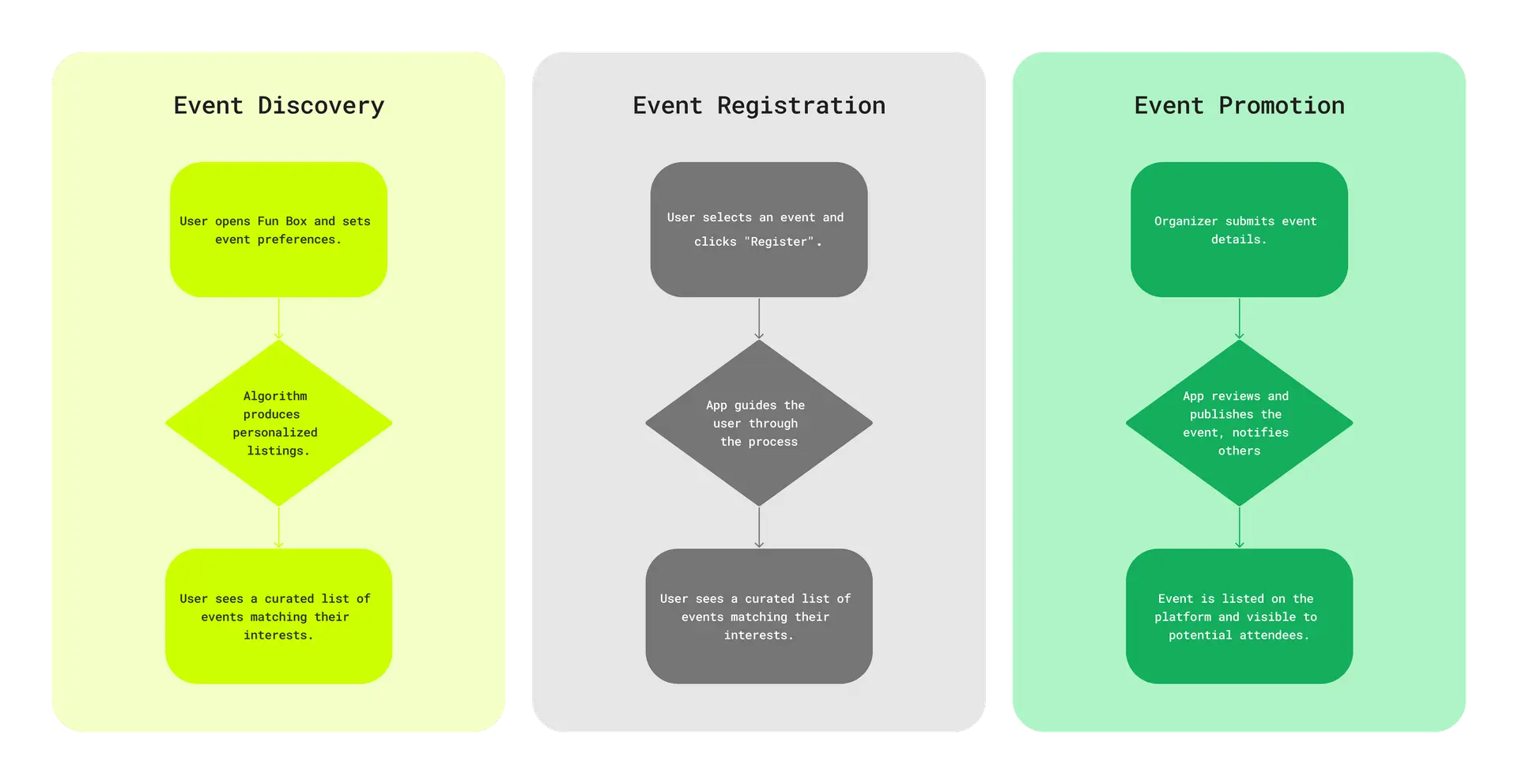
A process flow diagram outlines the steps users take to complete tasks within an app, helping to understand action sequences and identify potential bottlenecks or improvements. For Fun Box, this included steps for event discovery, registration, and promotion. User flows illustrated navigation from browsing events to purchasing tickets, setting preferences to attending meetups, and creating event listings to managing attendee engagement. These flows ensured a smooth and intuitive user experience. The output included detailed process flow diagrams, identification of bottlenecks, and clear, intuitive user pathways.
Information Architecture
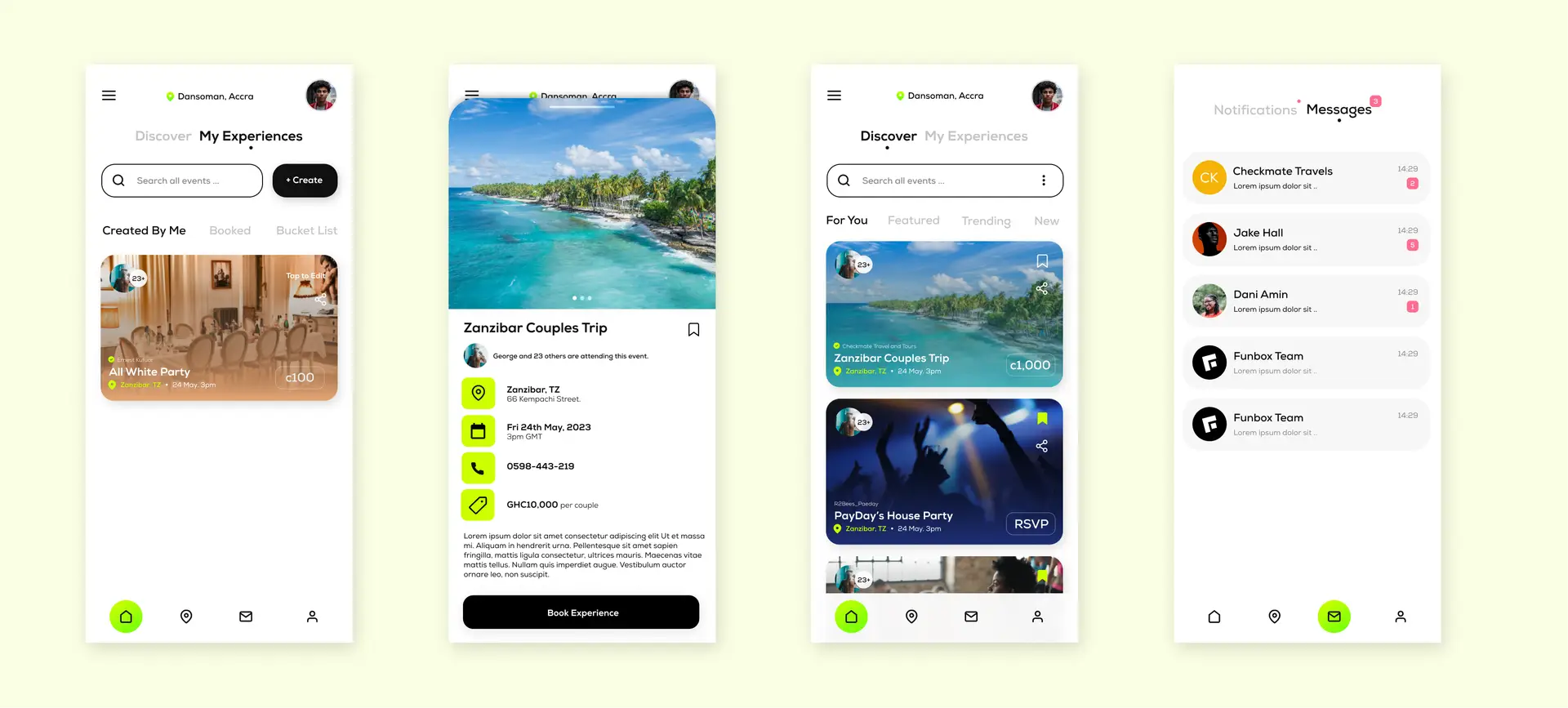
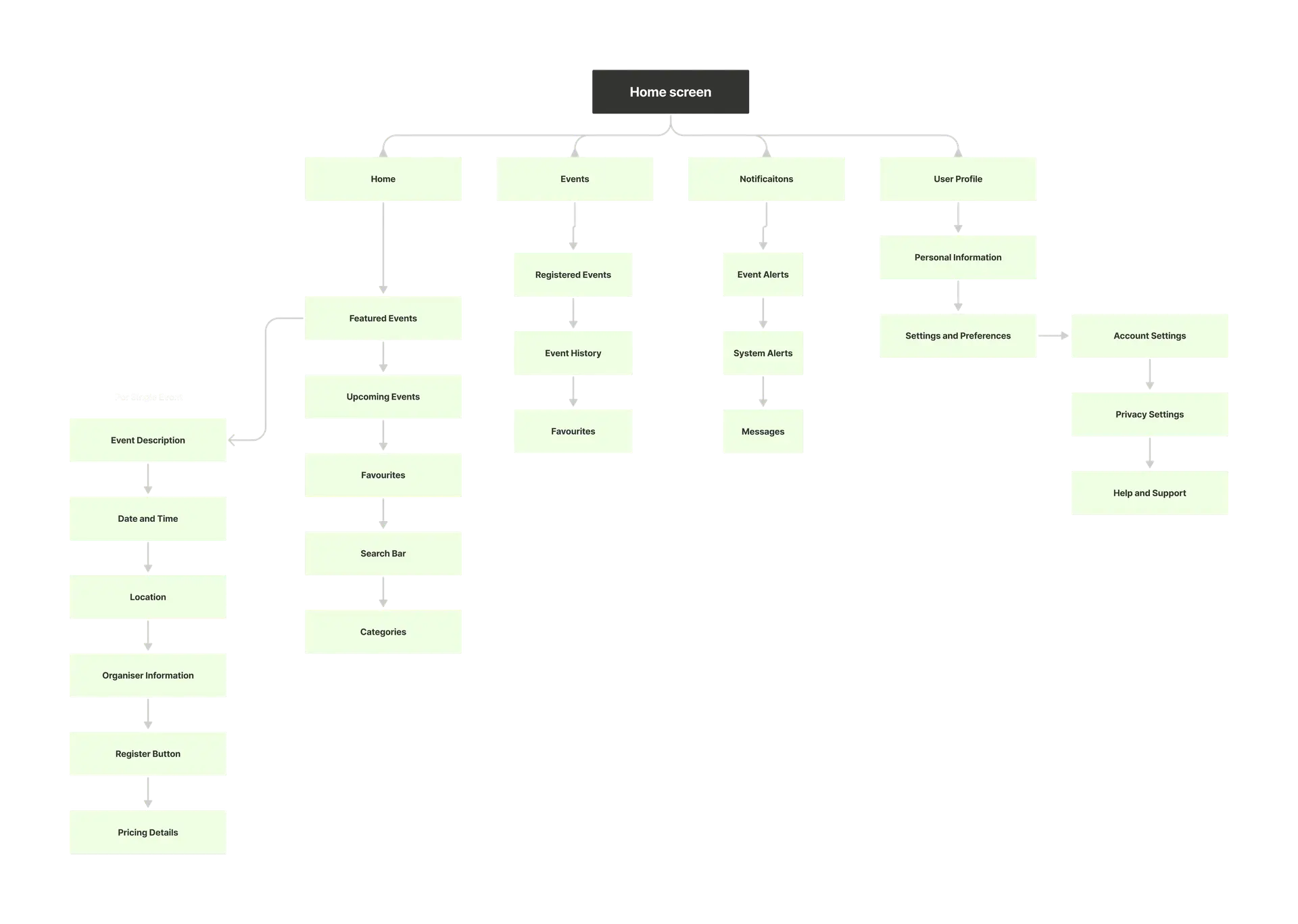
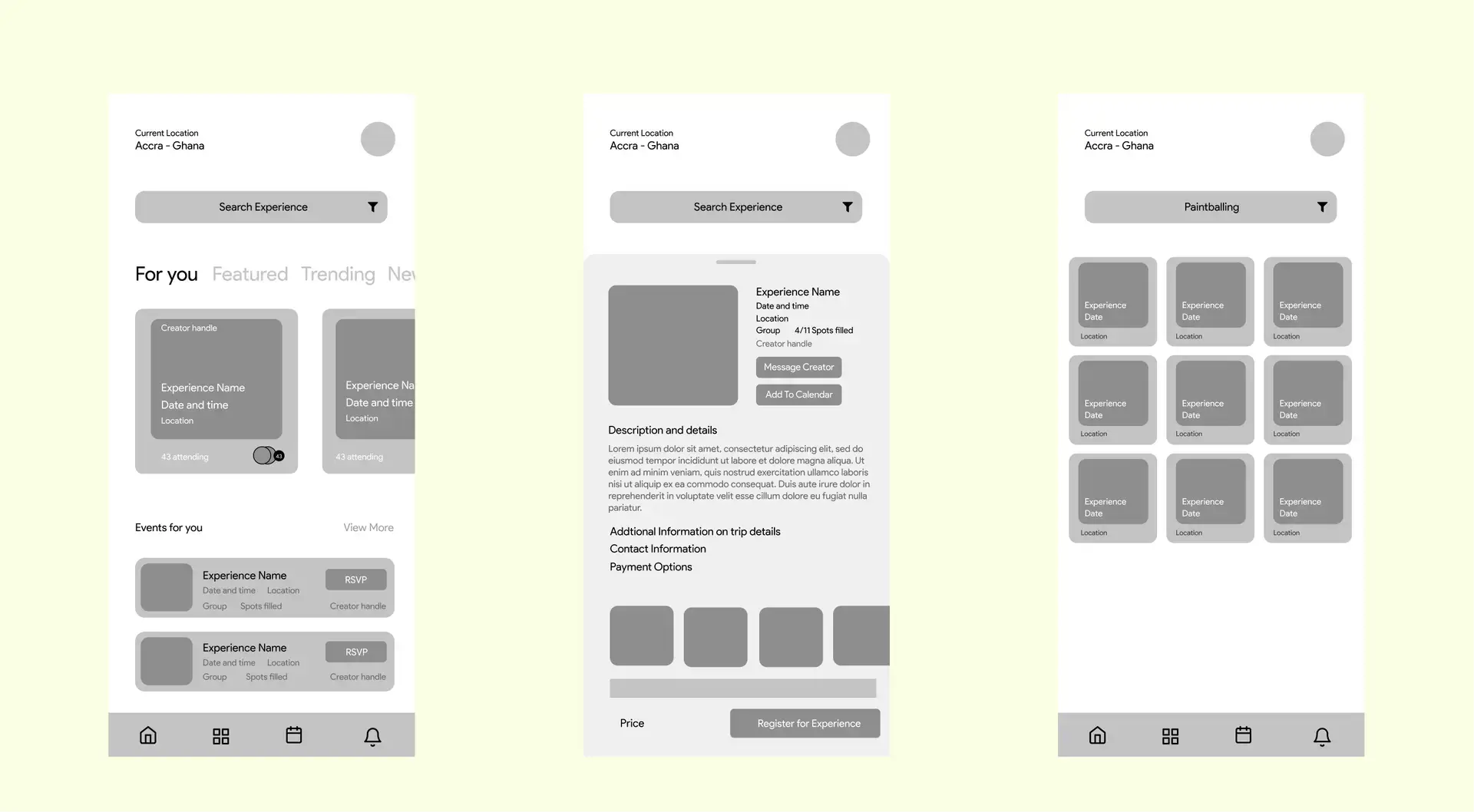
The information architecture for Fun Box was designed to support easy event discovery and management. The home screen featured sections for featured events, upcoming events, and popular categories. Event categories were organized into clear sections. The event detail pages provided comprehensive information, while the user profile section allowed for easy access to personal information and event history.
Scribbbles and Doodles
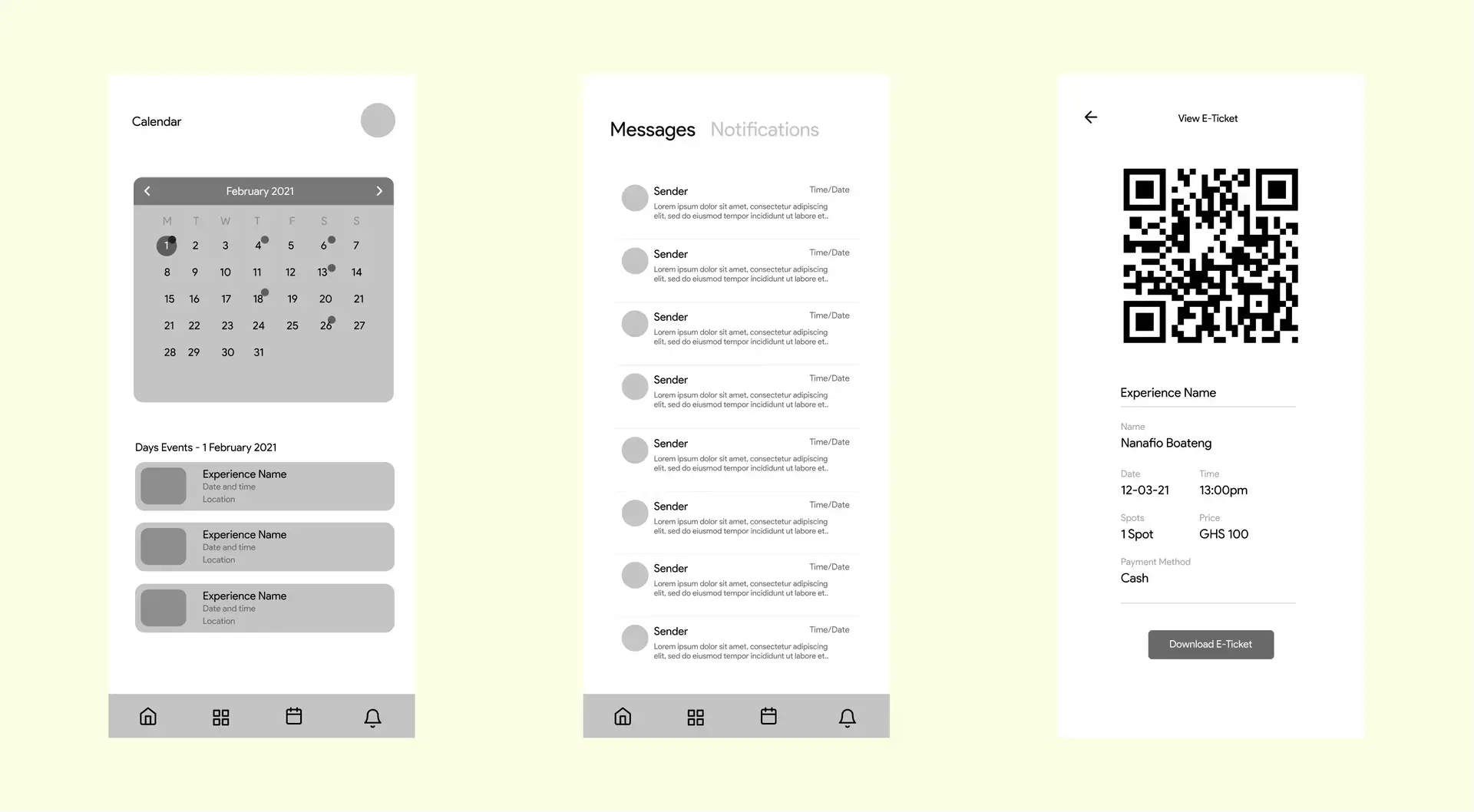
I utilized my research findings as a foundation to design mockups that addressed the identified user needs and pain points. It was a lot of scribbling on what I wanted to show and where I wanted it to be. Collaborating closely with the broader team, I conducted brainstorming sessions to gather feedback and iteratively refine the mockups.
Prototyping and Finishing Touches
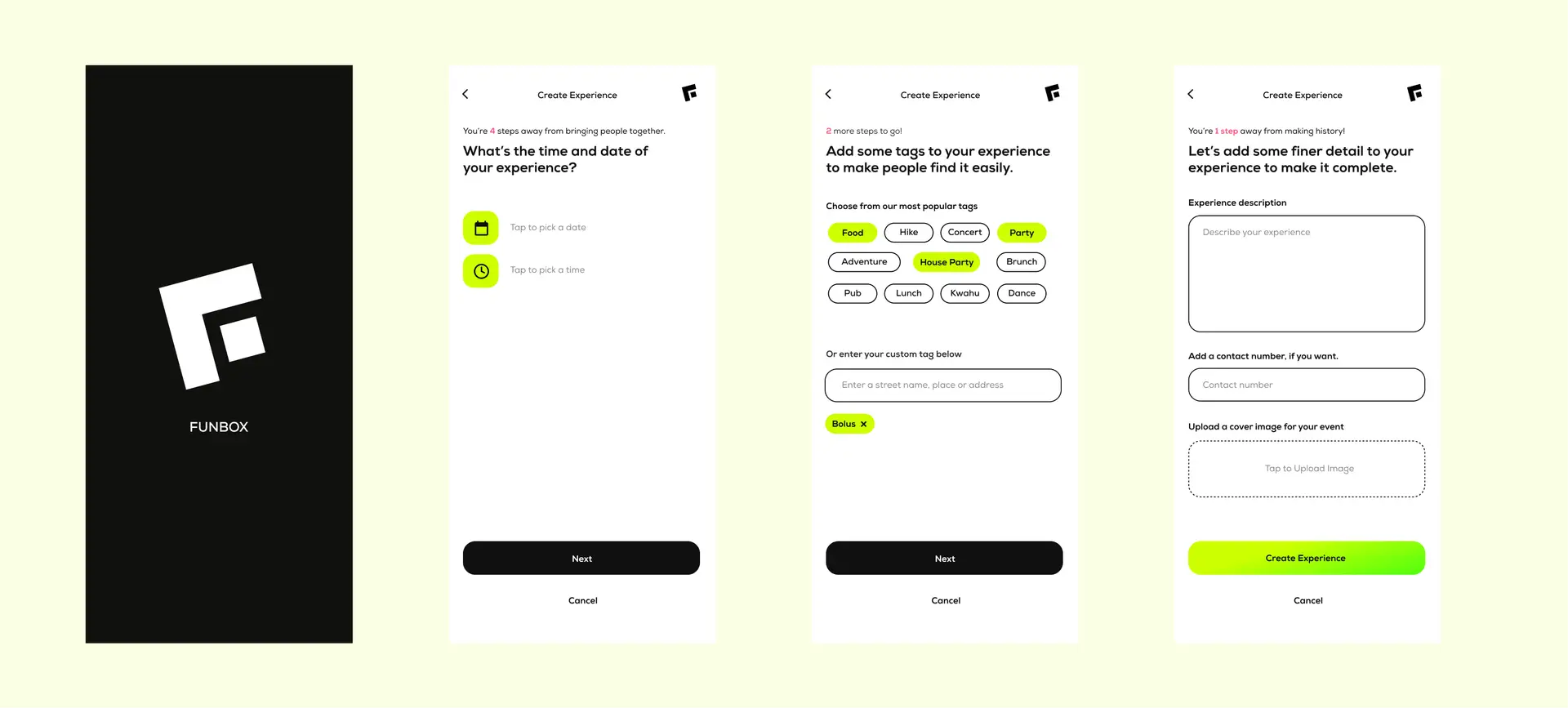
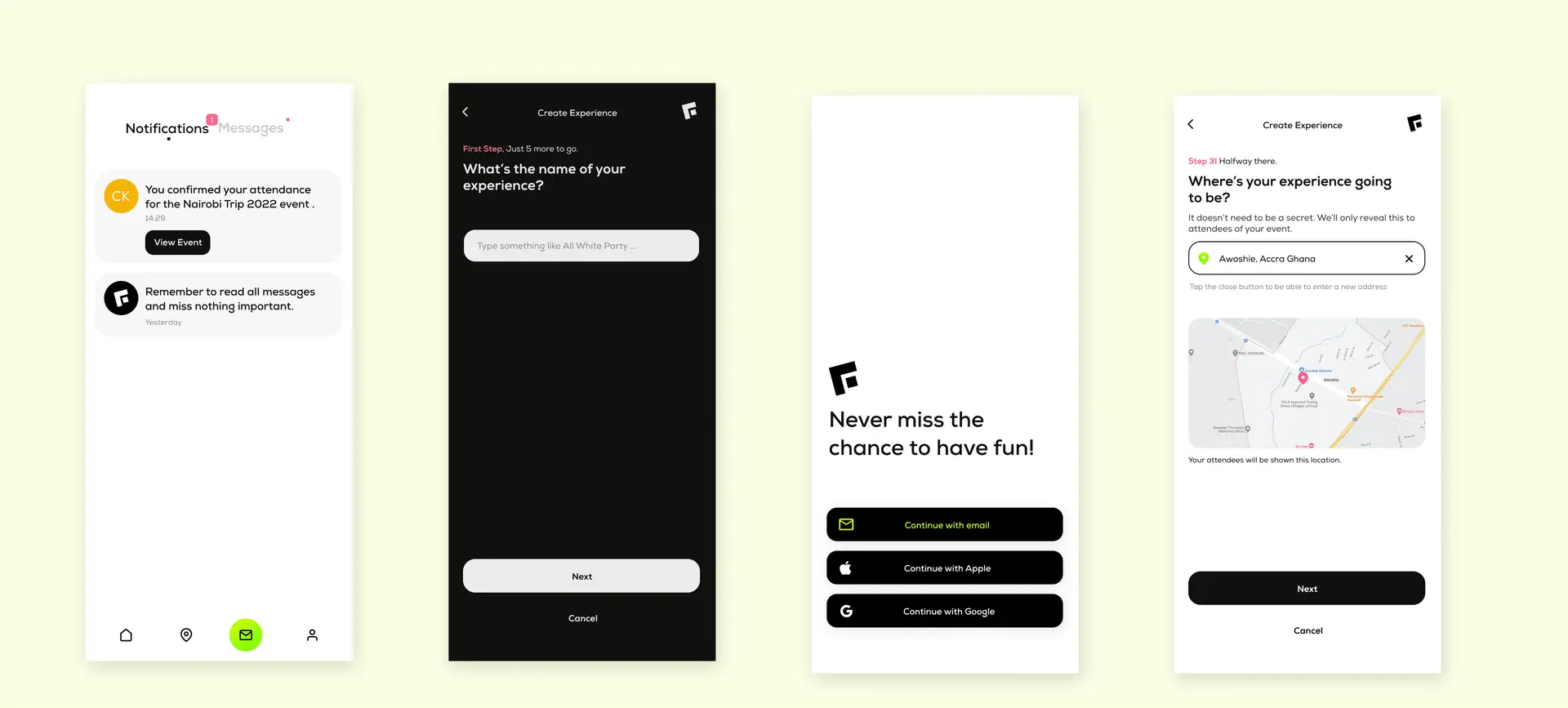
After two rounds of mockup reviews, I transitioned to designing the high-fidelity prototype in short sprints. This iterative approach allowed for rapid iteration and refinement based on feedback from both the team and potential users. By continuously incorporating feedback and testing the prototype with real users, I was able to fine-tune the design and ultimately arrive at the final product design that met both user needs and market expectations.